Streamline Your Billing with the Pro Invoice Template
As a freelancer or small business owner, the moment you send an invoice is the moment you expect to get paid. It is the bridge between your hard work and your revenue. Yet, so many entrepreneurs treat this crucial document as an afterthought, relying on basic spreadsheets or clunky generic forms that do nothing for their reputation. A messy invoice can signal disorganization, while a polished, professional document reinforces the quality of the service you just provided. This is where the "Pro Invoice Template" enters the conversation—not just as a file, but as a strategic asset for your business operations.
At its core, this template is designed to solve the administrative headache of billing while maintaining the high-end aesthetic of your brand. It is not merely a grid for numbers; it is a comprehensive toolkit built for modern creatives and business owners who understand that every touchpoint with a client matters. When you open this package, you are not just getting a blank slate; you are getting a system designed to make your financial tracking seamless and your visual presentation impeccable.
A Complete Toolkit for Every Software Environment
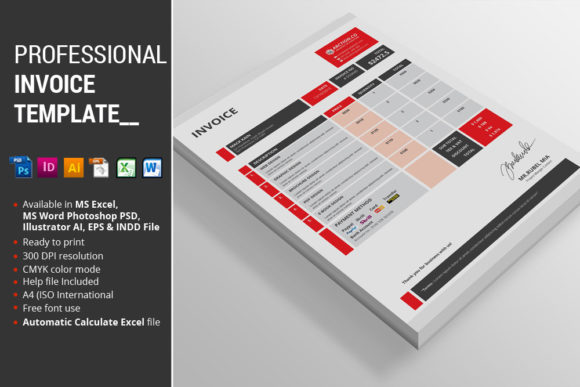
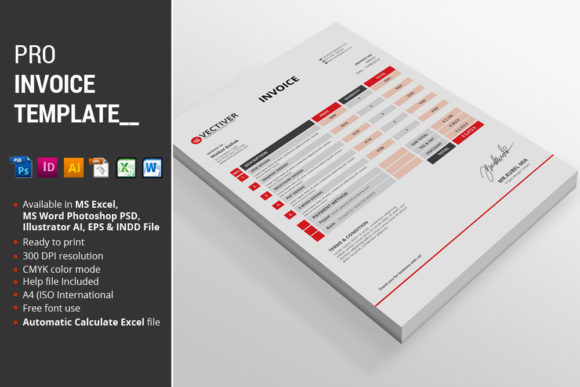
One of the biggest frustrations with design assets is compatibility. You find a great template, only to realize it is locked in a software you do not own. The Pro Invoice Template eliminates this friction entirely. The package is built to be universally accessible, regardless of your preferred workflow. Inside the download, you will find a robust selection of file types tailored to different needs.
For those who need to get the invoice out the door immediately with minimal fuss, the MS Excel 2010 file is the workhorse. It allows for instant editing of text and numbers. If your workflow leans more toward document processing, the MS Word 2010 file offers the same flexibility. However, for the designers and branding purists who want total control over the visual output, the package includes vector-based files such as Photoshop EPS, InDesign CS5, and Illustrator files. This variety ensures that whether you are tweaking the layout in Adobe Illustrator or finalizing the print settings in InDesign, the template adapts to you, not the other way around. An Instructions PDF is also included to guide you through the setup, ensuring you can get started without a learning curve.
Designed for Precision and Ease of Use
Visual appeal is subjective, but functionality is not. The true value of the Pro Invoice Template lies in its technical features, which are engineered to save you time and prevent errors. The standout feature is the Automatic Calculate function within the MS Excel file. We have all been there—manually adding up columns late at night, worried that a simple math mistake will delay payment or make us look unprofessional. With this template, the math is handled for you. You input the hours or the quantity, and the spreadsheet does the heavy lifting, instantly providing accurate totals and tax calculations.
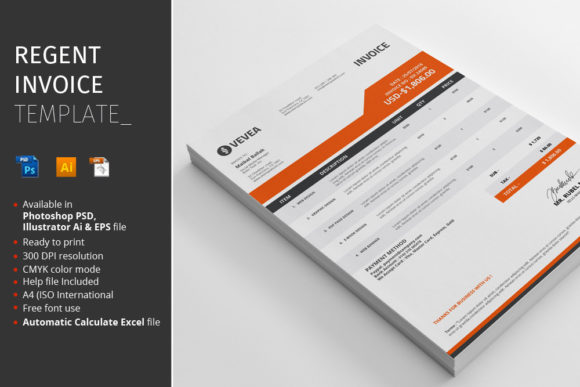
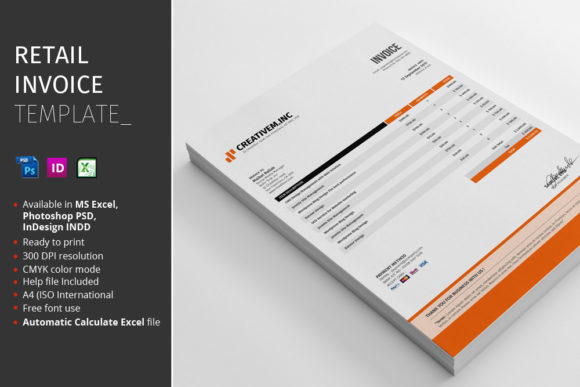
Furthermore, the template is designed on an A4 (ISO International) standard, making it the global default for professional documents. This ensures that when you email the PDF to a client in Berlin or print it for a client in New York, the formatting holds up perfectly. The design files utilize CMYK Color mode, which is essential for high-quality printing. If you have ever printed a document only to find the colors look washed out or drastically different from what you saw on screen, it is likely because the file was in RGB. This template is print-ready from the start.
Organization is another key pillar of this asset. The files feature Fully Organized layers, meaning you can dive into the source files in Photoshop or Illustrator without getting lost in a mess of unnamed layers. This is a massive time-saver for designers who want to customize the template to match a specific client's brand colors or typography. Speaking of typography, the Fonts Link is conveniently located within the help file, allowing you to quickly download and install the typefaces used in the preview to ensure your final result matches the high-end look of the demo.
Practical Applications Beyond Billing
While the primary goal is billing, the utility of a professional template extends into broader brand identity. When you use the Pro Invoice Template, you are participating in a larger strategy of visual consistency. Imagine a client receives a proposal from you that looks amazing, followed by work that is excellent, but then receives a bill that looks like it was made in 1995 in Microsoft Paint. That disconnect creates cognitive dissonance.
By using a premium, well-designed template, you ensure that your invoice design matches your business cards, your website, and your social media graphics. This consistency builds brand recognition. Over time, clients will recognize your "visual language" before they even read the text. It signals that you care about the details, which is often interpreted as a sign that you also care about the details of the service or product you are selling.
This template can also serve as a foundation for other print materials. Because the files are fully editable and vector-based, a savvy designer could take the header design or the typography layout and adapt it for letterheads, credit notes, or even quotes and estimates. This creates a cohesive suite of stationery assets without having to hire a designer to build everything from scratch.
Tips for Customization and Branding
To get the most out of the Pro Invoice Template, you need to treat it as a starting point rather than a finished product. Here are a few practical tips for integrating this asset into your workflow:
- Match Your Brand Palette: Open the Illustrator or InDesign file and swap the accent colors for your specific brand hex codes. This simple change instantly transforms a generic template into "your" template.
- Font Pairing Strategy: While the template comes with suggested fonts, do not be afraid to experiment. If your brand uses a sans serif font for headers and a serif font for body text, apply that hierarchy here. Ensure that the typography remains readable; invoices need to be scannable, so avoid overly decorative script fonts for the actual line items.
- Logo Placement: Ensure your logo is high-resolution. If you are using the vector files (EPS or AI), place your vector logo to ensure it scales perfectly whether the invoice is viewed on a mobile phone or printed on paper.
- Readability is King: When editing, keep the information hierarchy clear. The invoice number and total due should be the most prominent elements. Use visual weight to guide the client's eye to where they need to pay.
Commercial Licensing and Professional Peace of Mind
For freelancers and agencies, understanding the usage rights of your assets is critical. The Pro Invoice Template is designed as a commercial font and asset package, meaning you are licensed to use it for client work. This is a significant advantage over scraping free templates from the internet, which often come with murky licensing or attribution requirements that can be embarrassing to explain to a client.
By utilizing a professional-grade template, you are investing in your business's infrastructure. It streamlines your administrative tasks, allowing you to spend less time formatting documents and more time on creative work or client acquisition. It elevates your professional presentation, ensuring that the final interaction a client has with you—paying the bill—is as pleasant and polished as the first. In the competitive world of creative entrepreneurship, these details are what separate the amateurs from the professionals.
Whether you are a photographer sending out wedding invoices, a web developer billing for a sprint, or a consultant charging for hours, the Pro Invoice Template provides the structure and style you need to close the loop on your projects with confidence.