Scaevola: The Modern Template for Polished Presentations
Every presenter knows the feeling: you have a brilliant concept, a groundbreaking business strategy, or a complex school project, but the blank slide feels intimidating. The gap between a rough idea and a polished, professional presentation often comes down to the tools you use. It is not just about having good content; it is about packaging that content in a way that commands attention and respect. This is where a robust, versatile template becomes an indispensable asset for anyone looking to communicate effectively.
More Than Just Slides: A Framework for Visual Storytelling
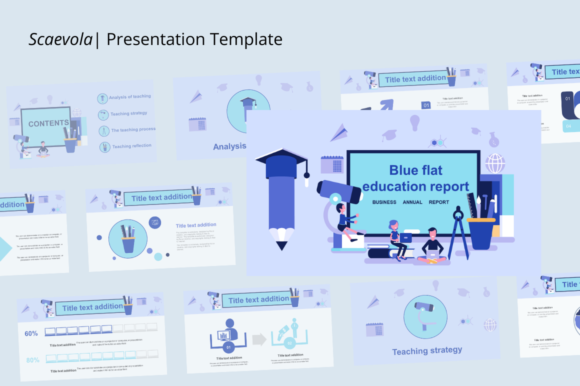
Scaevola is not merely a collection of pre-designed slides; it is a comprehensive presentation framework designed to adapt to a multitude of contexts. Whether you are a creative agency pitching a new client, a photographer showcasing a portfolio, or a student defending a thesis, the template provides a structured yet flexible canvas. With up to twenty distinct slide layouts, it offers enough variety to maintain audience interest while ensuring visual consistency from the first "Hello" to the final "Thank You."
The true strength of this asset lies in its adaptability. It bridges the gap between corporate rigidity and creative flair. For small business owners, it offers the professionalism required to secure funding or impress stakeholders. For designers and content creators, it provides the aesthetic breathing room needed to let visuals shine. It is a tool built for the modern communicator who needs to switch gears between a company profile and a creative portfolio without losing their brand’s voice.
Practicality Meets Polish: Editing and Customization
One of the biggest pain points in presentation design is the "broken template" phenomenon—where moving one element causes the entire layout to collapse. Scaevola addresses this with a user-centric approach to editing. The template is engineered to be easily editable, allowing users to modify shapes, text, and charts with minimal friction. This means you spend less time fighting with software mechanics and more time refining your message.
Color is a critical component of brand identity, and changing the color palette of a presentation can be a tedious task in many standard templates. Here, the process is streamlined. You can easily swap color schemes to match your brand guidelines or the specific mood of your project. Furthermore, the inclusion of resizable and customizable graphics means you are not locked into a rigid visual style. If a shape does not fit your data visualization, you can alter it. If the default font pairing does not match your brand voice, you have the freedom to change it.
The drag-and-drop functionality is particularly valuable for those who may not be design experts. Inserting images is simplified to a "one-click" process, removing the technical barriers that often discourage people from creating visually rich slides. This ease of use makes Scaevola an excellent choice for entrepreneurs and hobbyists who need professional results without a steep learning curve.
Strategic Design Applications
Understanding how to leverage a template like this across different industries is key to maximizing its value. It is not a one-size-fits-all solution, but rather a Swiss Army knife for visual communication.
For Business and Corporate Use: The 16:9 aspect ratio is the standard for modern displays and projectors, ensuring your content looks crisp and fills the screen appropriately. For business presentations, this format is ideal for displaying charts, financial data, and organizational structures. The clean layouts help in maintaining readability, which is crucial when presenting dense information to investors or board members.
For Creative Agencies and Portfolios: Visuals take precedence here. The template allows for large, high-impact imagery. A photographer can use the full-bleed slide options to let their work speak for itself, while a graphic designer can use the grid layouts to showcase a series of branding assets or web mockups. The aesthetic is modern enough to feel current but neutral enough not to overshadow the work being presented.
For Education and School Projects: Students and educators often struggle with making academic content engaging. Scaevola provides a professional polish that can elevate a standard report into a compelling presentation. The structured layouts help students organize their thoughts logically, guiding the audience through complex topics step-by-step.
Essential Typography and Layout Advice
While a template provides the skeleton, the flesh of your presentation is often determined by your typography choices and layout discipline. Even with a premium template, there are best practices to consider to ensure your message lands effectively.
Readability is King: When selecting fonts for your slides, prioritize clarity over style, especially for body text. A beautiful script font might look great on a title slide, but it will become illegible when used for bullet points viewed from the back of a conference room. Stick to clean sans-serif or serif fonts for your main content blocks to ensure your audience can read along effortlessly.
Visual Consistency: Use the template’s built-in structure to your advantage. Consistency in alignment, spacing, and color usage builds trust with your audience. If you are building a brand identity, ensure that the colors and fonts you use in the presentation match those on your website and social media graphics. This creates a cohesive ecosystem for your brand.
The Power of White Space: It can be tempting to fill every inch of the slide with information or graphics. Resist this urge. White space (or negative space) is a powerful design tool that helps focus attention on the key elements. Use the pre-designed layouts to guide your content placement, and do not be afraid to leave some areas empty to let the design breathe.
Testing Your Pairings: If you decide to customize the typography, test your font pairings. A common strategy is to pair a bold, attention-grabbing display font for headers with a more neutral, readable font for the body text. This contrast creates a visual hierarchy that makes the presentation easier to digest.
Files, Features, and Final Considerations
Scaevola comes equipped with the necessary files to get you started immediately. The package typically includes the PPTX or PPT file, which is compatible with the industry-standard software, along with a documentation file. This documentation is often overlooked but is vital for users who need guidance on how to manipulate the template’s specific features. Additionally, the inclusion of vector icons adds an extra layer of utility, allowing you to enhance your slides with scalable graphics that do not lose quality when resized.
When utilizing such assets, always keep your end goal in mind. Are you trying to educate, persuade, or inspire? The template is a vehicle for your ideas, and its effectiveness depends on how well you align the visual design with your narrative objectives. By combining the robust structure of Scaevola with thoughtful content strategy and typography choices, you can transform a standard presentation into a memorable experience for your audience.