Design Your Year: Mastering Custom Calendars with InDesign Templates
There is a specific kind of satisfaction that comes from planning your year on a design that is uniquely yours. For too long, professionals and creatives have settled for generic, off-the-shelf planners that clash with their aesthetic or lack the functionality needed for a busy schedule. If you have ever wished for a calendar that actually matches your brand identity or personal style without spending hours formatting grid lines in a word processor, the solution lies in professional design software. Specifically, using an editable Calendar InDesign Template offers a level of control and sophistication that standard office software simply cannot match.
Adobe InDesign is the industry standard for layout design, and while it can seem daunting at first, templates bridge the gap between complex software and a polished final product. We are looking at a comprehensive set of digital assets that allow you to generate a calendar for any year, for any purpose. Whether you are a small business owner looking to create a branded corporate gift, a freelancer organizing client projects, or a hobbyist wanting a beautiful piece of art for your wall, the ability to manipulate every element of the layout is a game-changer.
Why InDesign is the Right Choice for Custom Planners
When it comes to creating printed materials or high-fidelity digital PDFs, the difference between an amateur design and a professional one often comes down to typography and grid structure. An Adobe InDesign template is built on a foundation of master pages and character styles. This means that when you decide to change the header font or the color scheme for the month of June, you aren't manually clicking on every single page. You update the style once, and the changes ripple through the document.
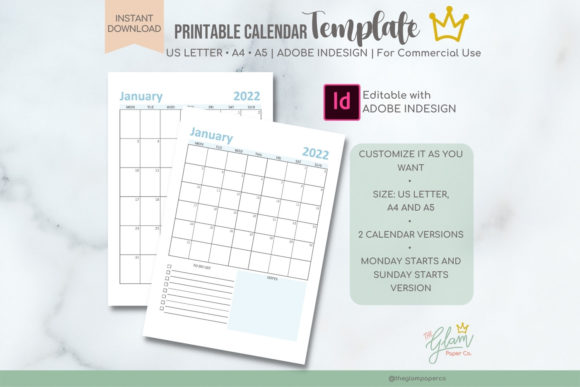
This particular set of templates includes files optimized for three distinct sizes: US Letter (8.5 x 11 in), A4, and A5. This versatility is crucial for modern content creators. The A5 size, for instance, is perfect for a desk companion or a digital download product sold on Etsy, while the US Letter size is ideal for wall calendars or detailed business planning sheets. Because the files are delivered in the .indd format, you have full access to the vector paths, allowing you to scale graphics and adjust margins without pixelation.
The visual appeal of these templates lies in their balance of negative space and information architecture. A good planner doesn't just list dates; it provides a visual hierarchy that guides the eye. You will find that the included "Simple" versions offer a minimalist approach—perfect for corporate branding where clarity is key—while the standard versions provide more room for imagery and creative flair.
Transforming a Template into a Brand Asset
For small business owners and entrepreneurs, a calendar is more than just a scheduling tool; it is a marketing asset. Imagine sending a client a beautifully designed wall calendar that features your brand colors, your logo, and imagery relevant to your industry. It serves as a constant visual reminder of your business hanging in their office for twelve months. That is a high return on investment for a design project.
However, the utility of this Calendar InDesign Template extends far beyond physical gifts. It is a robust tool for creating digital products. The market for printable planners and digital inserts is booming. By editing these templates, you can create a niche product—perhaps a fitness planner, a social media content calendar, or a project management tracker—and sell it as a downloadable PDF. Because you can change the fonts, colors, and add images, you can tailor the design to specific audiences, such as a bold, high-contrast style for a fitness brand or a soft, serif-based design for a lifestyle blog.
Consider the power of visual consistency. If you are a content creator, your brand identity needs to be cohesive across your website, your social media graphics, and your downloadable freebies. Using this template allows you to create a "Content Calendar" that visually matches your Instagram aesthetic. When you share snippets of this calendar in your Stories or on Pinterest, it reinforces your brand recognition. It tells your audience that you pay attention to details, which builds trust and professional credibility.
Practical Applications: From Editorial to Packaging
The versatility of an editable InDesign file is often underestimated. While the primary function is date-keeping, the layout structure of a calendar can be repurposed for various editorial layouts and packaging designs.
For example, the twelve-page structure can easily be adapted into a product catalog or a lookbook. Instead of dates, you can use the grid spaces to showcase product features, testimonials, or a timeline of your company’s history. This is particularly useful for packaging inserts. If you sell a subscription box, including a high-quality, branded calendar sheet or a "month ahead" planner adds immense perceived value to the unboxing experience.
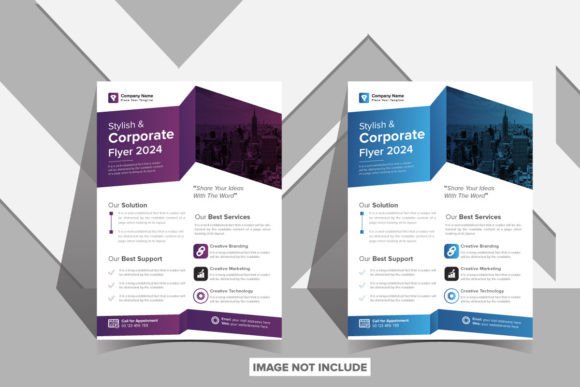
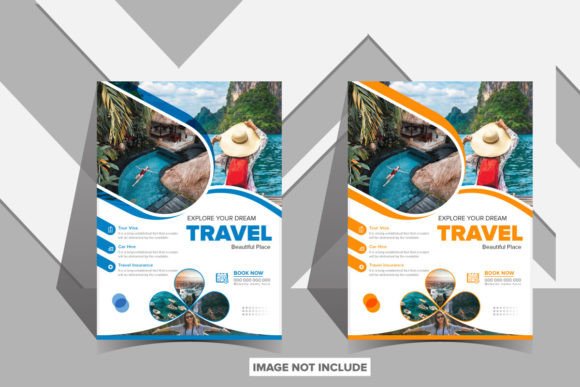
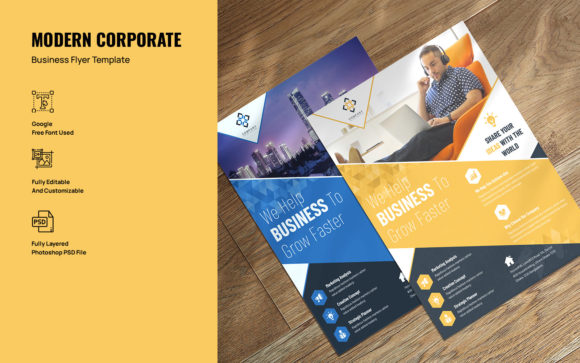
Furthermore, the A4 and US Letter sizes are standard for print materials such as posters and flyers. If you are hosting a workshop, a seminar, or a community event, you can adapt the calendar layout to display a schedule of events. The clean grid structure is already optimized for readability, making it easier for attendees to scan and find the information they need. This saves you the headache of designing a layout from scratch while ensuring the final print looks crisp and professional.
Mastering the Edit: Tips for a Polished Finish
To get the most out of this design asset, you need to approach the editing process with a strategy. Simply swapping out the year and hitting "Export" won't result in a unique product. Here is how to elevate the template to match your specific goals:
Typography and Font Pairing: The templates are compatible with Adobe InDesign CC, giving you access to the entire Adobe Fonts library. Do not stick with the default fonts unless they perfectly match your brand. Experiment with font pairing. A common strategy is to pair a bold, attention-grabbing display font or serif font for the month headers with a highly legible sans serif font for the dates and body copy. If your brand has a more personal, organic feel, consider using a script font or handwritten font for accents, but keep the actual dates in a clean typeface to ensure readability.
Color Psychology: Colors evoke emotions. A financial consultant might use deep blues and greys to convey stability and trust, whereas a children's party planner would use bright pastels. When editing the template, don't just change the background color. Adjust the tint of the grid lines and the text colors to ensure they complement the new palette. Ensure there is enough contrast between the text and the background to make the calendar easy to read from a distance if it is intended as a wall hanging.
Imagery and Bleed: Since the templates allow for adding images, take advantage of the full-bleed options if you are printing. High-resolution photography can transform a simple planner into a piece of art. However, be mindful of the "safe zone." Ensure that critical text—like dates and numbers—is not obscured by busy photography. Use semi-transparent overlays or text boxes with solid backgrounds to maintain legibility.
Commercial Use and Licensing
One of the most significant advantages of this specific download is the licensing agreement. The files are cleared for both personal and commercial use. This is a vital consideration for designers and entrepreneurs. It means you are legally protected to sell the final products you create using these templates. Whether you are selling printed wall calendars at a craft fair or digital PDF planners on your website, you have the rights to monetize your work.
However, always keep the "Important Note" in mind: basic knowledge of Adobe InDesign is required. The files are .indd files, meaning they are native to the software. If you are new to InDesign, there is a slight learning curve, but it is a worthwhile investment of your time. Learning to navigate the "Pages" panel, "Paragraph Styles," and "Export" settings will not only help you with this calendar but will also equip you to handle future design assets, from brochures to eBooks.
Final Thoughts on Design Efficiency
In the fast-paced world of digital marketing and content creation, efficiency is key. Starting with a high-quality Calendar InDesign Template allows you to bypass the tedious setup phase and jump straight into the creative process. You are not just buying a file; you are buying back hours of time that would have been spent drawing grids and aligning text boxes.
Whether you are creating a brand identity kit for a new startup, designing a social media content calendar to organize your posts, or crafting a premium digital product to sell, the tools are in your hands. With three size options (A4, A5, and US Letter) and two layout styles included, you have the flexibility to cater to any market or requirement. By focusing on strong typography, consistent branding, and clear readability, you can transform these templates into a powerful asset for your business or personal projects.